How to log in to the Linksys Mesh router’s web interface

This article will guide you on how to log in to the Linksys Intelligent Mesh router's web interface. For routers with the LinksysNOW web interface, these are the instructions.
Before you begin, ensure that you have already set up the router and that your device is connected to your router's network.
Images vary by the model number of your Linksys device.
Directions
1. Connect a computer to the router’s WiFi name or connect it to the router via an ethernet port.
2. Open a web browser, type “myrouter.local” in the Address bar, and hit [ENTER]. You can also enter the default IP address of the router, which is “https://192.168.1.1”.
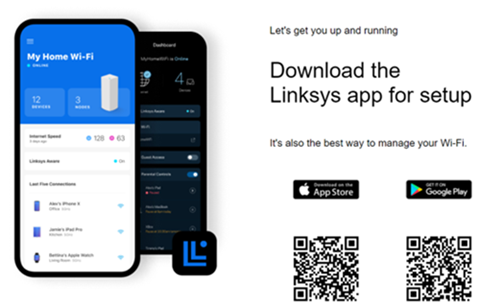
3. Click on the mobile image. If you do not see the mobile image, proceed to step 4.
2. Open a web browser, type “myrouter.local” in the Address bar, and hit [ENTER]. You can also enter the default IP address of the router, which is “https://192.168.1.1”.
3. Click on the mobile image. If you do not see the mobile image, proceed to step 4.

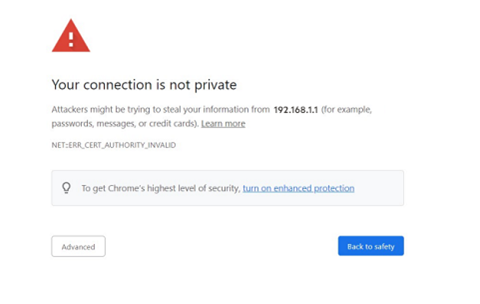
If you see any security browser error messages, follow these steps to continue.
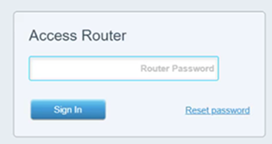
4. Enter your router password and then click Sign In.
If you have modified the password but have forgotten it, or this is your first time logging in, click the Reset Password link to recover or create a new password. You will need the Recovery Key located at the bottom of the router that is connected to your modem.
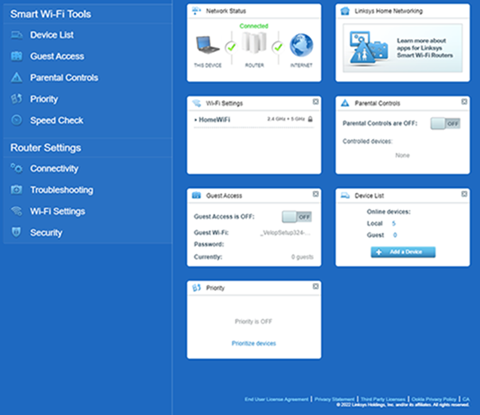
5. You will be redirected to the router’s dashboard. Learn more about the router's dashboard settings.
5. You will be redirected to the router’s dashboard. Learn more about the router's dashboard settings.