


Recovering the admin password of your Linksys router or node
This article will show you how to change or reset the router password using the recovery key on the router’s product label if you can’t log in to your router using your admin password.
Directions
1. Connect a device (e.g., a computer or laptop) to your Linksys WiFi network.
2. Open a web browser to access your router's web interface.
3. Click Reset Password.
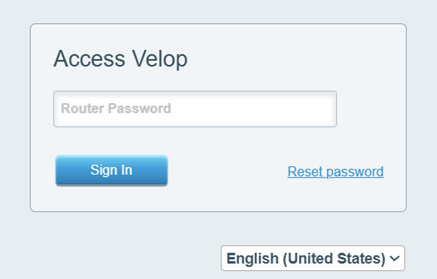
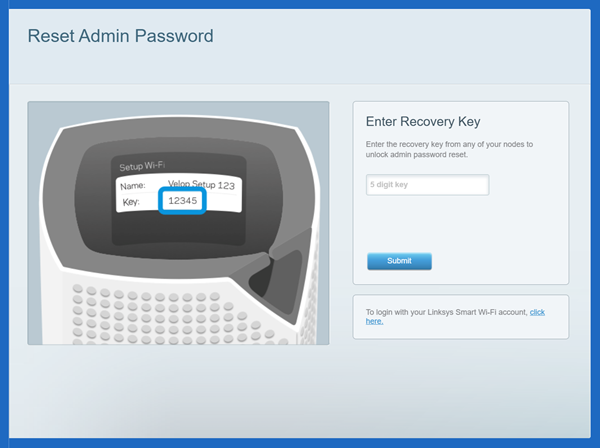
4. Enter the Recovery Key found on the bottom of the parent router, then select Submit.
5. Create a new password and hint, then click Reset. This will only reset your password, not your router settings. Make sure to write down your new password, as it is case-sensitive.
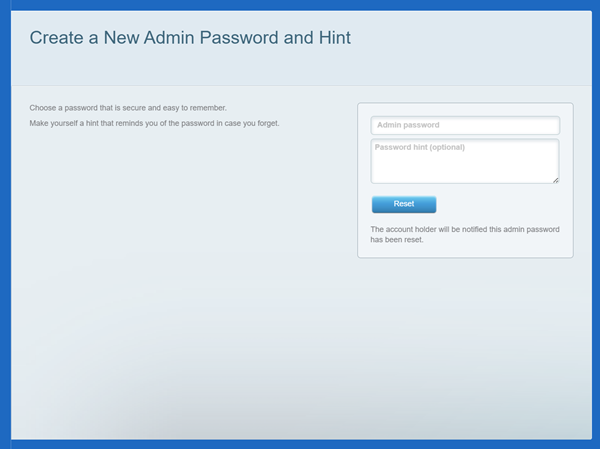
6. Wait until settings have been applied. After that, you can try accessing the router using the new password you created.

