


링크시스 E9450 라우터의 웹 인터페이스에 로그인하는 방법

This article will show you how to access the web interface of your Linksys E9450 WiFi 6 Router. This article is for Linksys E9450-AH, Linksys E9450-CN, Linksys E9450-JP, and Linksys E9450-KR.
Before you begin:
- Make sure that you have already set up the router.
- Make sure to use a computer or mobile device that is connected to the router's network.
Directions
1. Launch a web browser, enter “192.168.79.1” or “linksysxxxxx” (the last five characters are from the router's serial number), and hit [ENTER].
The router's default IP address is 192.168.79.1. If you have changed the router’s IP address, enter your new IP address.
The router's default IP address is 192.168.79.1. If you have changed the router’s IP address, enter your new IP address.
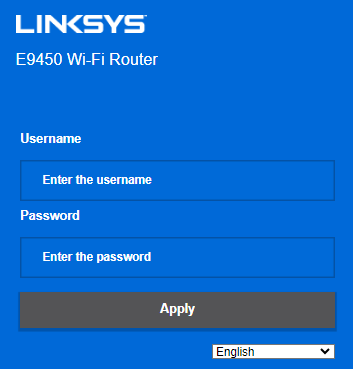
2. Enter "admin" for the username and enter your password in the fields provided, and then click Apply. You will be redirected to the router’s web interface.
5236

