You are using an unsupported browser. Please update your browser to the latest version on or before July 31, 2020.
close
You are viewing the article in preview mode. It is not live at the moment.
Home > Advanced Configurations > Mesh Systems > Resolving browser error when logging into a Linksys router using an HTTPS connection
Resolving browser error when logging into a Linksys router using an HTTPS connection
print icon

Certain routers with the latest firmware require an HTTPS connection (e.g., https://192.168.1.1). When you log in to a Linksys router, you may encounter a warning message due to the browser searching for signed security certificates associated with the websites you are trying to visit. Your router is not a website and does not have that type of certificate.


There is no need to be concerned because your connection is secure and encrypted. This error occurs only when accessing a router using an HTTPS connection.


This article will help you resolve this browser login error. Keep in mind that the default IP address varies by model when the router is connected to an upstream network. For the latest models, you can also use www.myrouter.info or myrouter.info. To manage your router locally, connect your device to your Linksys WiFi network, then log in at https://192.168.1.1 or myrouter.local.


1. Click Advanced.
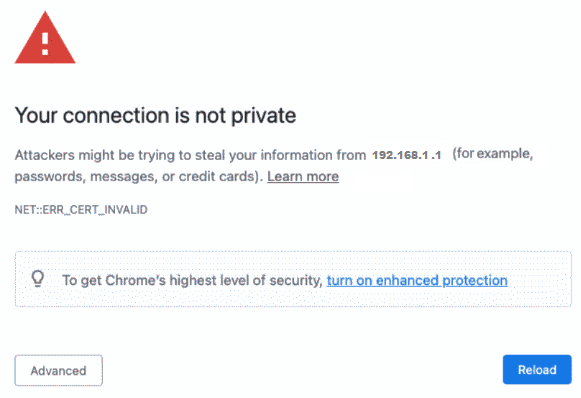
An image of your connection is not private error message 
 
2. Click Proceed to 192.168.1.1 (unsafe).
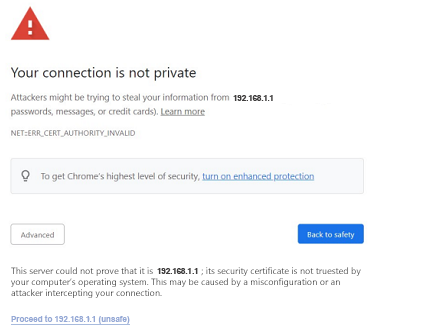

An image of “Your connection is not private” warning page in Google Chrome Advance Settings 


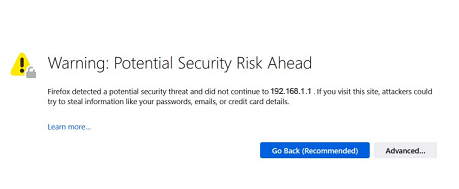
1. Click on the Advanced... button.

“Potential Security Risk Ahead” warning page in Firefox 

2. Click Accept the Risk and Continue.
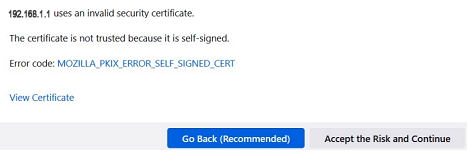
“Potential Security Risk Ahead” warning page in Firefox showing the advanced options, Go back or Accept 


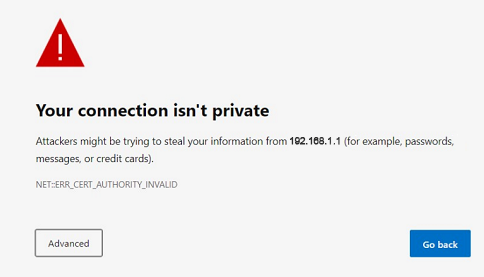
1. Click Advanced

“Your connection isn't private” warning page in Microsoft Edge 

2. Click Proceed to 192.168.1.1 (unsafe).
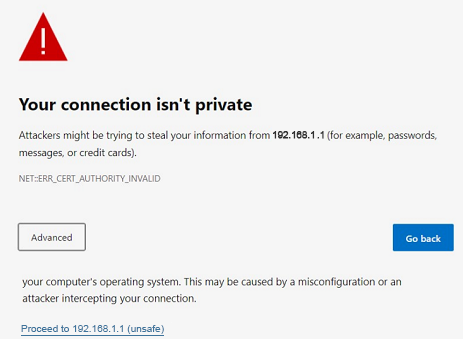
“Your connection isn't private”  warning page showing the advanced options, Go back or Proceed to 192.168.1.1 (unsafe)) 


1. Click on Show Details.

2. Click on visit this website.
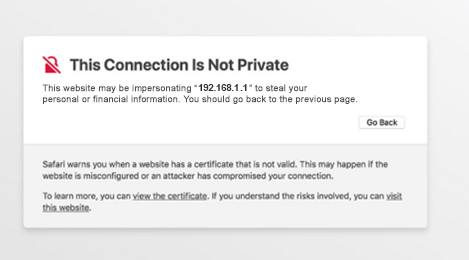

“This connection is not private” warning page in Safari 

3. You will be prompted to confirm your visit to the website. Click Visit Website.

Was this support article helpful?
7 out of 50 found this helpful

Contact Us:
Call Us Access our list of global support numbers
Reddit Join and subscribe to our Official Reddit Community
Chat Us We are here to help you with all the questions you have

Linksys
Now
Support
scroll to top icon