You are using an unsupported browser. Please update your browser to the latest version on or before July 31, 2020.
close
You are viewing the article in preview mode. It is not live at the moment.
> 般查詢 > 如何使用LinkBot支援助手
如何使用LinkBot支援助手
print icon
認識一下LinkBot支援助理! 我們的支援助理將協助您解答一般網路問題,併為安裝、故障排除及各種網路配置提供清晰友好的支援。 如需最佳説明,請告知我們您的設備型號。 

LinkBot 支援助手可以用大多數語言説明你。 現在就開始聊天,獲得你問題的即時答案。 
 
1. 訪問Linksys支援網站。

2. 在頁面右下角,點擊 LinkBot 支援助手圖示以發起聊天會話。
 
LinkBot Support Assistant icon
 
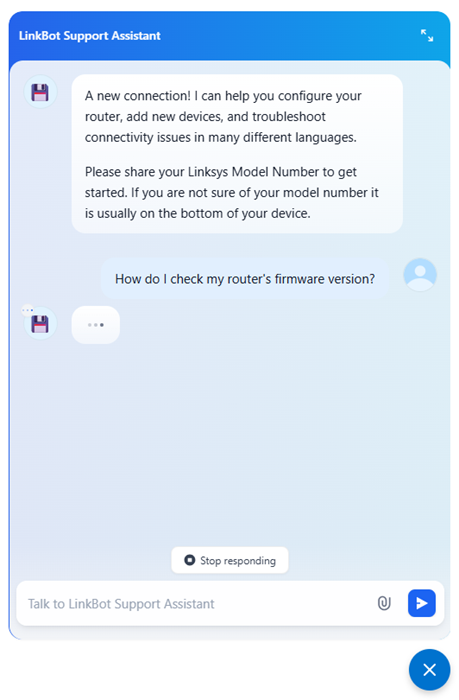
這會打開一個聊天視窗,你可以開始對話。
 
LinkBot Support Assistant chat box
 
3. 如果你想開始新聊天,請點擊刷新圖示。 

注意: 刷新圖示僅在對話開始時出現。 
 
Press the Refresh icon to start a new chat.
 
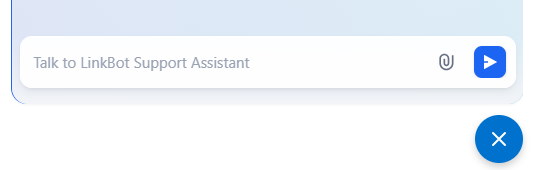
4. 結束聊天,只需點擊X圖示。 
 
Click the "X" icon to end the chat.
這篇支援文章有用嗎?
0 / 0 覺得這很有幫助

聯絡我們
致電我們  存取我們的全球支援號碼清單
Reddit  加入並訂閱我們的官方 Reddit 社群
與我們聊天  我們樂意為您解答所有問題
Linksys
Now
Support
滾動到頂部圖標