You are using an unsupported browser. Please update your browser to the latest version on or before July 31, 2020.
close
You are viewing the article in preview mode. It is not live at the moment.
> 产品概览 > 使用LinksysNOW > 了解 LinksysNOW Instant-Verify 设置
了解 LinksysNOW Instant-Verify 设置
print icon

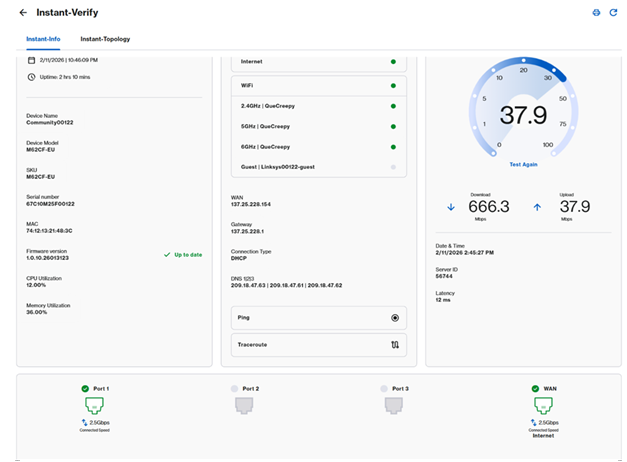
LinksysNOW界面的Instant-Verify页面提供了网络状态的概览。


设置可能因型号而异。


Instant-Info


即时信息标签会为你快速提供路由器的简要介绍。


设置可能会根据你设备的型号有所不同。


1. 登录路由器的网页界面, 点击Menu > Instant-Verify > Instant-Info


LN1600


An image of the Instant-Verify page of the LinksysNOW web interface


SPNM60CF和SPNM62CF


SPNM60CF and SPNM62CF Instant Verify dashboard


SPNM60TB


SPNM60TB Instant Verify dashboard


SPNM60DU


SPNM60DU Instant Verify dashboard


SPNM62DU


SPNM62DU Instant Verify dashboard

 
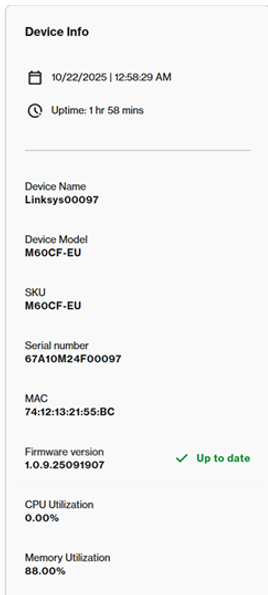
Device Info


Device Info


设备信息图块显示以下信息:


  • 当前时间、日期及运行时间
  • 设备名称,路由器序列号后五位(Linksysxxxxx)
  • 型号系列、SKU、序列号和MAC地址
  • CPU 与内存利用率
  • 当前固件版本
Connectivity


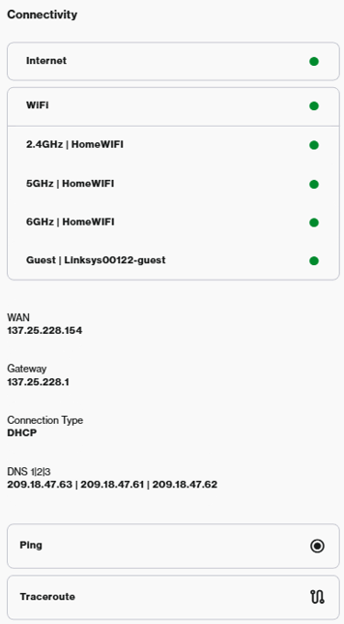
Connectivity section


连接图块显示以下设置:


  • 互联网状态
  • WiFi 状态——去  Incredible WiFi 图块配置 WiFi。
  • WAN IP地址和连接设置——要配置互联网设置、DHCP服务器或DNS设置,请进入 高级设置
  • Ping 和 Traceroute 诊断
Speed Test


速度测试服务因型号而异。


LN1600系列——提供第三方测速服务,如CloudFlare或 Fast.com。选择一个服务来运行测试。
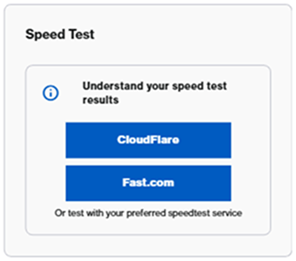
 

Speed Test feature with CloudFlare and Fast.com options


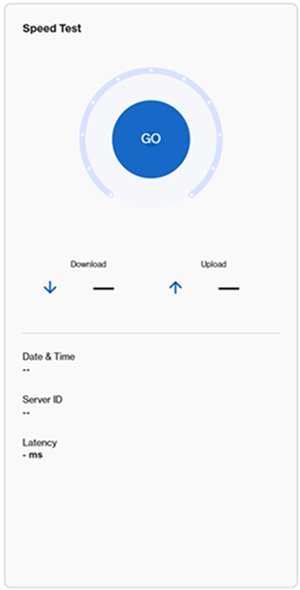
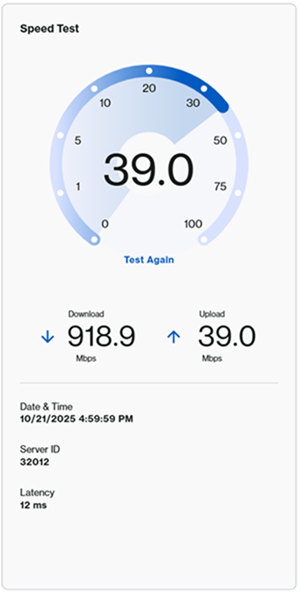
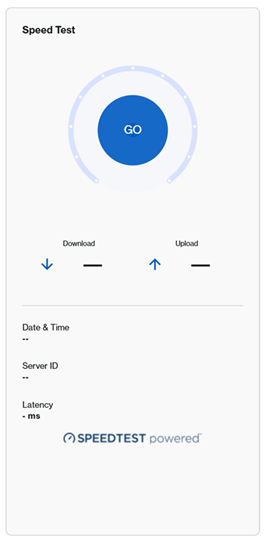
SPNM60CF/SPNM62CF - 要运行速度测试,请点击Go 按钮或Test Again


Speed Test showing Go button  Speed Test showing the results


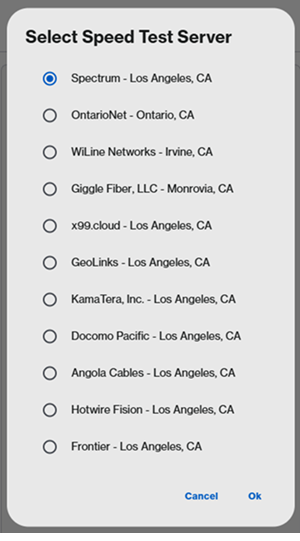
SPNM60TB(toob ISP):Toob ISP 节点有服务器选择选项。点击Go后,选择一个服务器,然后点击OK


Speed Test showing Go buttonSpeed Test showing server selection


Internet and LAN ports


端口布局描述因型号而异。


LN1600系列


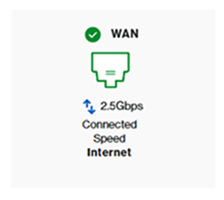
Linksys LN1600 支持一个多链路以太网端口,最高 2.5 Gbps。滚动到页面底部查看当前使用的端口和当前速度。连接速度取决于连接的设备。


WAN port


SPNM60/SPNM62


Linksys SPNM60 和 SPNM62 支持三个局域网端口和一个互联网端口。所有端口都是多链路的。


滚动到页面底部查看当前使用的端口和当前速度。连接速度取决于连接的设备。

 

LAN Ports section


SPNM60
 

  • 一个2.5 Gbps的互联网端口
  • LAN端口1到3支持最高2.5 Gbps

SPNM62


  • 一个10 Gbps的互联网端口
  • 端口1和端口2支持最高2.5 Gbps
  • 端口3支持最高10 Gbps


Instant-Topology


在Instant-Topology图块中,你可以查看节点的排列及其与网络连接方式的详细信息。了解更多

这篇支持文章有用吗?
0 / 0 觉得这很有帮助

联系我们
致电我们  访问我们的全球支持电话号码列表
Reddit  加入并订阅我们的官方 Reddit 社区
与我们聊天  我们将为您解答所有问题
Linksys
Now
Support
滚动到顶部图标