You are using an unsupported browser. Please update your browser to the latest version on or before July 31, 2020.
close
You are viewing the article in preview mode. It is not live at the moment.
> 產品概述 > 使用 LinksysNOW > 瞭解 LinksysNOW Instant-Verify 設置
瞭解 LinksysNOW Instant-Verify 設置
print icon
LinksysNOW介面的Instant-Verify頁面提供了網路狀態的概覽。
 
設置可能因型號而異。


即時信息標籤提供路由器的快速摘要。 設置可能會根據你設備的型號有所不同。
 
登錄路由器的網頁介面,點擊Menu > Instant-Verify > Instant-Info。 
 
SPNM60 和SPNM62
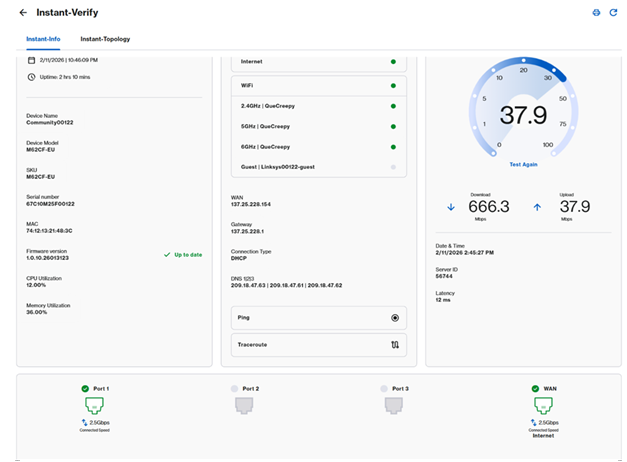
 
Screenshot of the Instant-Info page overview on the SPNM60 or SPNM62 model interface


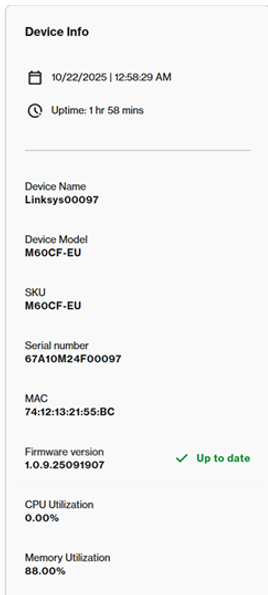
裝置資訊圖塊顯示以下資訊:
 
  • 當前時間、日期及運行時間
  • 設備名稱
  • 型號系列、SKU、序列號和MAC位址
  • CPU 與記憶體利用率
  • 當前固件版本
Screenshot of the Device Info dashboard tile presenting firmware, MAC address, uptime, and system status variables


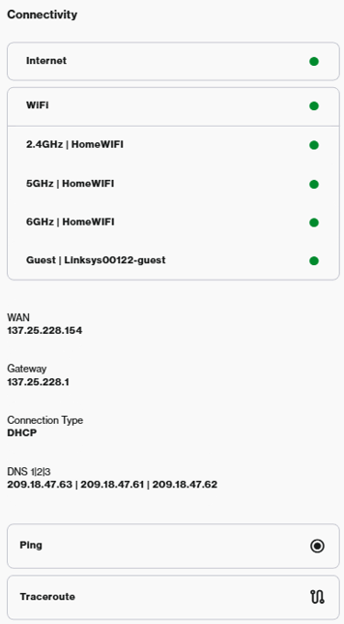
連接圖塊顯示以下設定:
 
  • 互聯網狀態
  • WiFi 狀態——去 Incredible WiFi 圖塊配置 WiFi。 
  • WAN IP address and connection settings - To configure the internet settings, DHCP server, or DNS settings, go to Advanced Settings. WAN IP位址和連接設置——要配置互聯網設置、DHCP伺服器或DNS設置,請進入高級設置。 
  • Ping 和 Traceroute 診斷
Screenshot of the Connectivity tile layout presenting overall network status, WAN configuration info, and troubleshooting test options


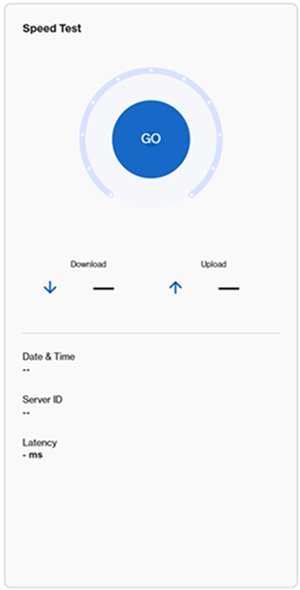
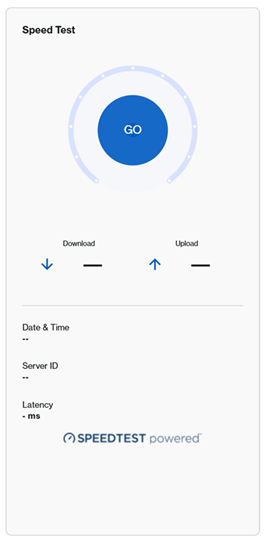
速度測試服務因型號而異。
 
要運行速度測試,請點擊GO按鈕或“再次測試”。 
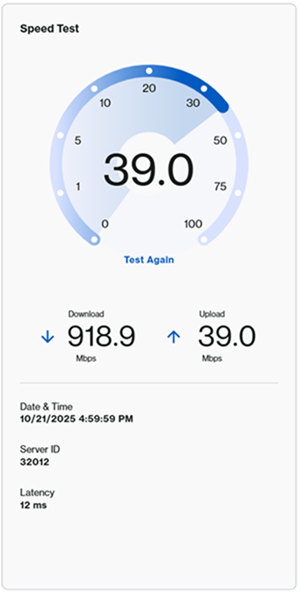
 
Screenshot highlighting the Speed Test configuration tile before running a test  Screenshot displaying the action execution view with the Test Again option after finishing a Speed Test
 
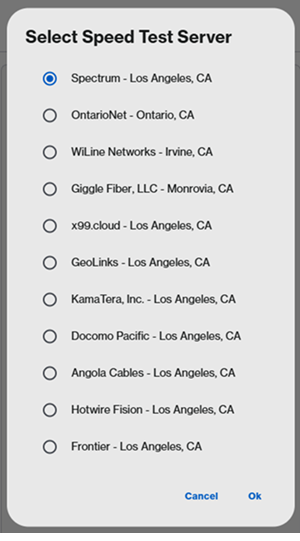
有些型號需要先選擇伺服器。
 
Screenshot highlighting server selection configuration fields prior to running the diagnostic test Screenshot showing an alternative layout context variant for selecting preferred local network test servers
 
LN1600系列— —提供第三方測速服務,如CloudFlare或 Fast.com。 選擇一個服務來運行測試。 
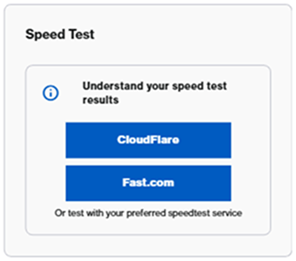
 
Screenshot of the alternate integrated diagnostic utility widget featuring toggle presets for third-party optimization tools like Fast.com and CloudFlare


端口佈局描述因型號而異。
 
SPNM60/SPNM62
 
Linksys SPNM60 和 SPNM62 支援三個區域網端口和一個互聯網端口。 所有端口都是多鏈路的。
 
滾動到頁面底部查看當前使用的端口和當前速度。 連接速度取決於連接的設備。

 
Graphic schematic monitoring widget demonstrating live toggle link speeds across specific Internet and LAN ports for the SPNM60 or SPNM62 hardware
 
SPNM60
 
  • 一個2.5 Gbps的互聯網端口
  • LAN端口1到3支援最高2.5 Gbps
SPNM62
 
  • 一個10 Gbps的互聯網端口
  • 端口1和端口2支援最高2.5 Gbps
  • 端口3支援最高10 Gbps
LN1600系列
 
Linksys LN1600 支援一個多鏈路乙太網端口,最高速度為 2.5 Gbps。
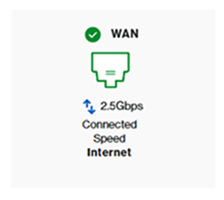
 
Port status identification visualizer representing layout indicators mapping the available active links for LN1600 series routers


在即時拓撲圖塊中,你可以查看節點的排列及其與網路連接方式的詳細資訊。瞭解更多
這篇支援文章有用嗎?
0 / 0 覺得這很有幫助

聯絡我們
致電我們  存取我們的全球支援號碼清單
Reddit  加入並訂閱我們的官方 Reddit 社群
與我們聊天  我們樂意為您解答所有問題
Linksys
Now
Support
滾動到頂部圖標