


Connecting your iPhone to the Guest WiFi

Linksys routers let you create a separate Guest network, allowing visitors to connect to the WiFi without accessing your main network. Before connecting your iPhone®, make sure you have configured your router's Guest Access settings.
1. Navigate to Settings  .
.
.
2. Tap on Wi-Fi.
3. Tap the Guest network you want to connect to.
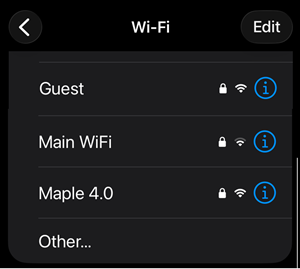
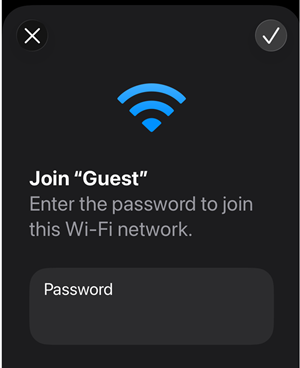
4. Enter your password and tap the check icon.
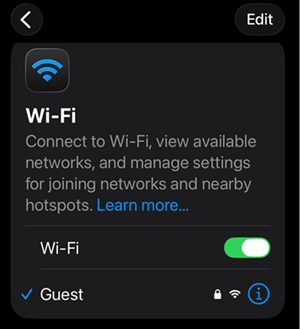
5. Look for the blue checkmark next to the Guest network name and the Wi-Fi icon in the top corner of your screen to confirm your connection.
Find out more:

